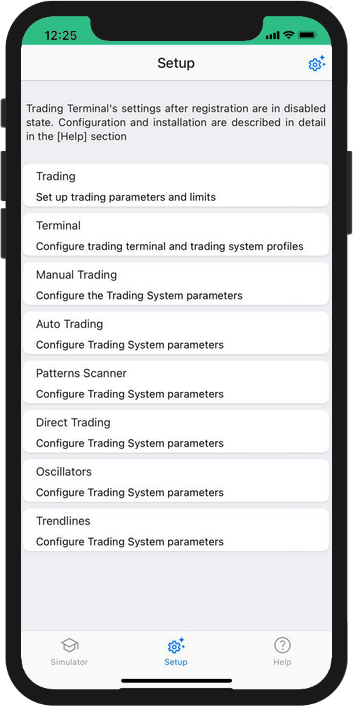
Configuración
The [Configuración] section makes the following settings for Trading Station:
- Trading Limits settings
- Trading Terminal Administration
- The Manual Trading System settings
- The Automatic Trading System settings
- The Pattern Scanner settings
- The Direct Trading System settings
- The Oscillatory Trading System settings
- The Trend Trading System settings
Before you start working with The InstantCharts service, you need to:
- Set the necessary trading permissions: [Configuración: Comercio]
- Set up the trading terminal: [Configuración: terminales]
- Set up the selected trading system parameters
- Set trading limits for Positions: [Configuración: Posiciones]
- Set up entering Orders algorithms and parameters: [Configuración: Órdenes]
- Set the trading Balance parameters: [Configuración: Saldos]
The [Configuración] screen control elements are shown in the diagram below.